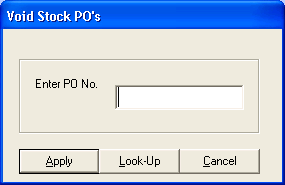
To void POs, click Inventory: Purchase Orders: Void Stock POs. A "Void Stock POs" form will appear. Enter the PO number, and click Apply. If you're not sure of the PO Number, click Look Up. A list of POs will appear. Find the PO in the list, and double-click on it.
To void the entire order, click Void All button. Every item will show an x in the Received column.
To void only part of the order, double-click each line item in the Received column (it will show an x), and if you selected the wrong item, double-click the item's Received column again to remove the x.
Click Apply to save changes. The purchase order will be marked Void.
Special Ordered Purchase Orders are automatically voided when you void out the sale or under customer adjustments, if you return a Special Order.